

- Apps功能演示
2. FAQ
- 蘋果 18或以上 IOS 18 or above
- 安卓 11或以上 Android 11 or above
- 華為(進行中) Huawei (In progress)
您可以接收來自教區和您訂閱的任何堂區的即時訊息通知。您將收到來自教區的所有訊息。對於每個訂閱的堂區,您可以選擇要接收的訊息類型和對象。您最多只能訂閱兩個堂區。You can receive real-time message notification from Diocese and any parish you have subscribed. All messages from Diocese will be received. While for each subscribed parish, you can select which message types and target group of messages you want to receive. You can only subscribe to two parishes in maximum.
- 安裝應用程式後即訂閱堂區訊息 Subscribe Parish news after installation of Apps
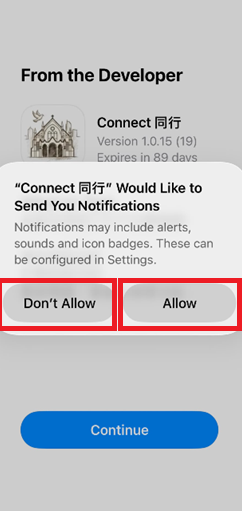
1.1 應用程式安裝完成後,將顯示下列畫面。如果您希望接收即時訊息的彈出通知,請點擊「允許」按鈕。否則,請點擊「不允許」按鈕。After installation of Apps, the following screen will be displayed. If you want to receive Pop-up notification for real time message, please click “Allow”. Otherwise, click “Don’t Allow”
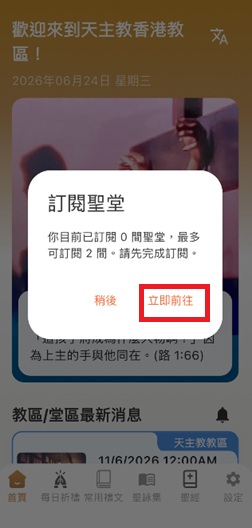
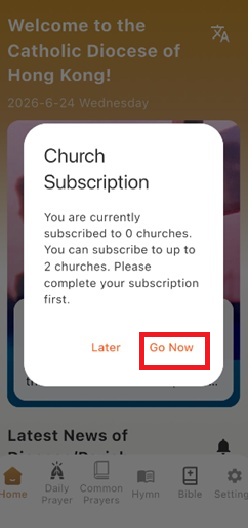
1.2 螢幕將提示您是否繼續進行教堂區訂閱。請點擊 「立即前往」按鈕。A screen will be prompted to ask you to go ahead for parish subscription. Please click “Go now” button.
1.3 您可以透過搜尋按鈕找到您所屬的堂區,或直接前往所屬地區搜尋。You can find your parish through search button or directly go to belonged district
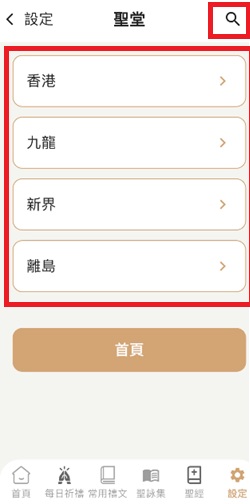
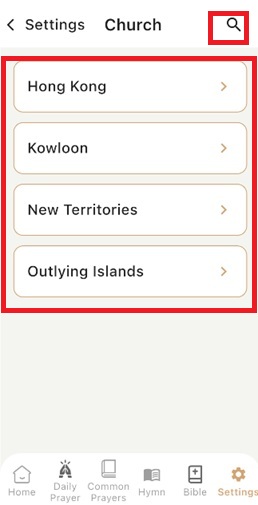
1.4 選擇任何堂區進行訂閱(例如:座堂堂區),然後點擊座堂堂區的鐘仔。Select any parish to subscribe (eg. Cathedral Parish), click the bell of Cathedral Parish.
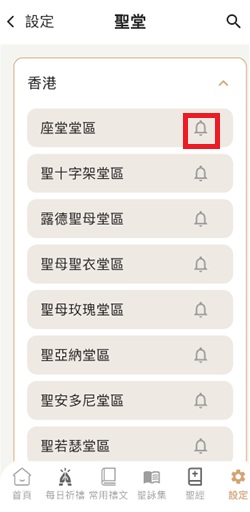
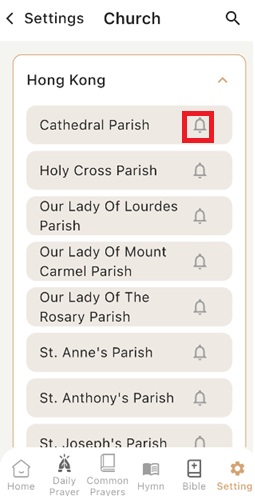
1.5 點擊「確認」按鈕,確認您選擇的堂區。 Confirm your select parish by clicking Confirm Button.
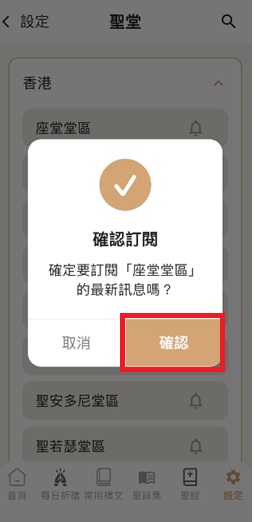
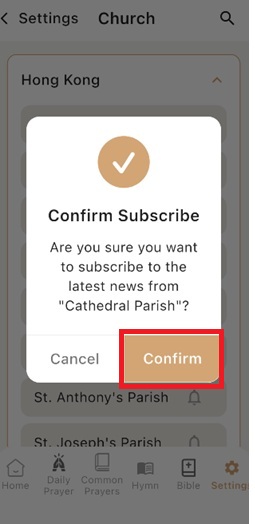
1.7 選擇要接收的消息類型。您可以點擊「全部消息類型」旁邊的方框圖示選擇接收所有消息類型,或點擊特定消息類型旁邊的方框圖示選擇要接收的特定消息類型。Select which message types you want to receive. You can select all message types by clicking the box icon besides “ALL Messages Types” or select particular messages to receive by clicking the box icon besides particular message type.
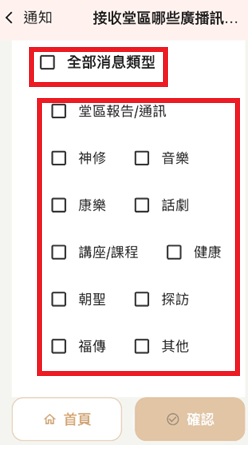
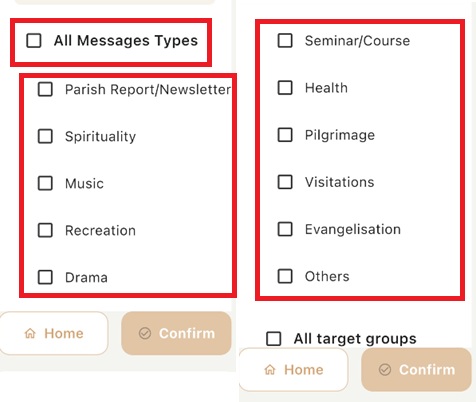
1.8 選擇要接收的消息對象。您可以點擊「全部對象」旁邊的方框圖示選擇接收全部對象的消息,或點擊特定對象旁邊的方框圖示選擇要接收的特定對象的消息。選取後,您可以點擊「確認」按鈕。Select which target group of messages you want to receive. You can select all target groups by clicking the box icon besides “ALL target groups” or select particular target group’s messages to receive by clicking the box icon besides particular target group. Once selected you can click “Confirm” button.
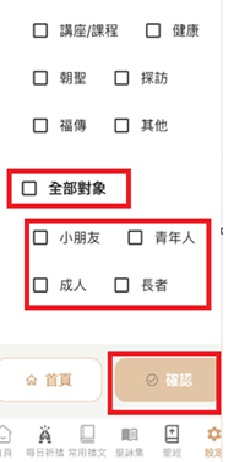
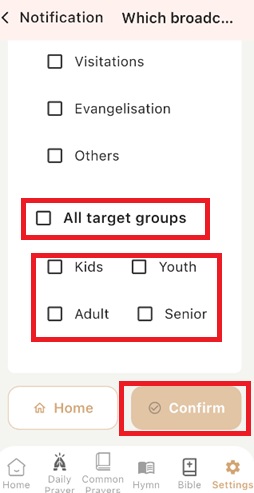
1.9 您可以重複步驟 1.3 至 1.9 訂閱另一個堂區 You can repeat step 1.3 to 1.9 to subscribe another parish.
2. 使用應用程式時訂閱堂區訊息 Subscribe Parish news during using the Apps
2.1 點擊「設定」圖標,然後點擊「訂閱堂區消息(最多選擇兩間)」欄。Click “Settings” icon, then click the bar “Subscribe to parish news (select two in maximum)”
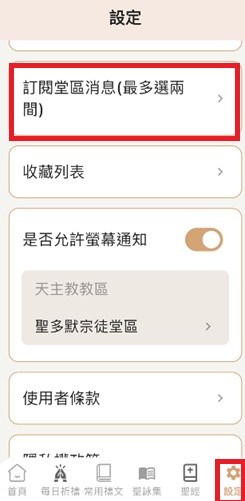
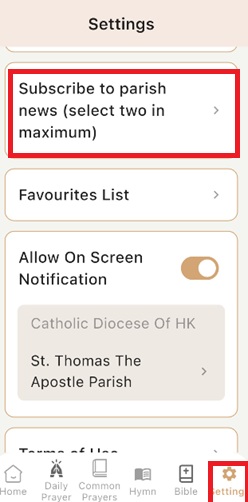
2.2 您可以重複步驟 1.3 至 1.9 訂閱另一個堂區。 You can repeat step 1.3 to 1.9 to subscribe another parish.
3. 更改堂區的消息類型和對象Select which target group of messages you want to receive. Change message types and target groups for a parish
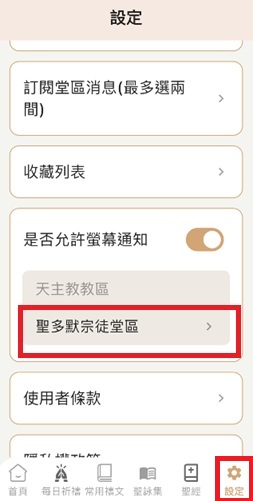
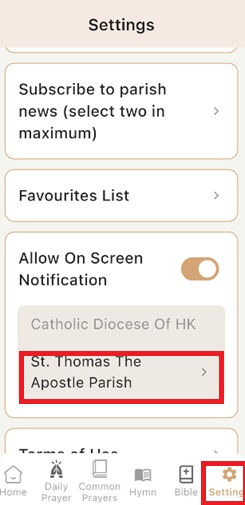
3.1 點擊「設定」圖標,然後點擊「例如: 聖多默宗徒堂」欄。您可以重複步驟 1.7 至 1.9 去更改。Click “Settings” icon, then click the bar “eg. St Thomas The Apostle Parish” to amend.
安卓手機無法開啟聖經語音朗讀功能
Cannot turn on bible voice reading in Android
- 當您啟動聖經閱讀功能時,將彈出一個提醒,要求您設定文字轉語音。When you start bible reading function, a Pop up screen will be appeared to ask you to setup Text to speech.
- 點擊’前往設定’ Click “go to Setting”
- 確保 Google 語音識別與合成已選擇 Ensure Speech Recognition and Syntheses from google is selected
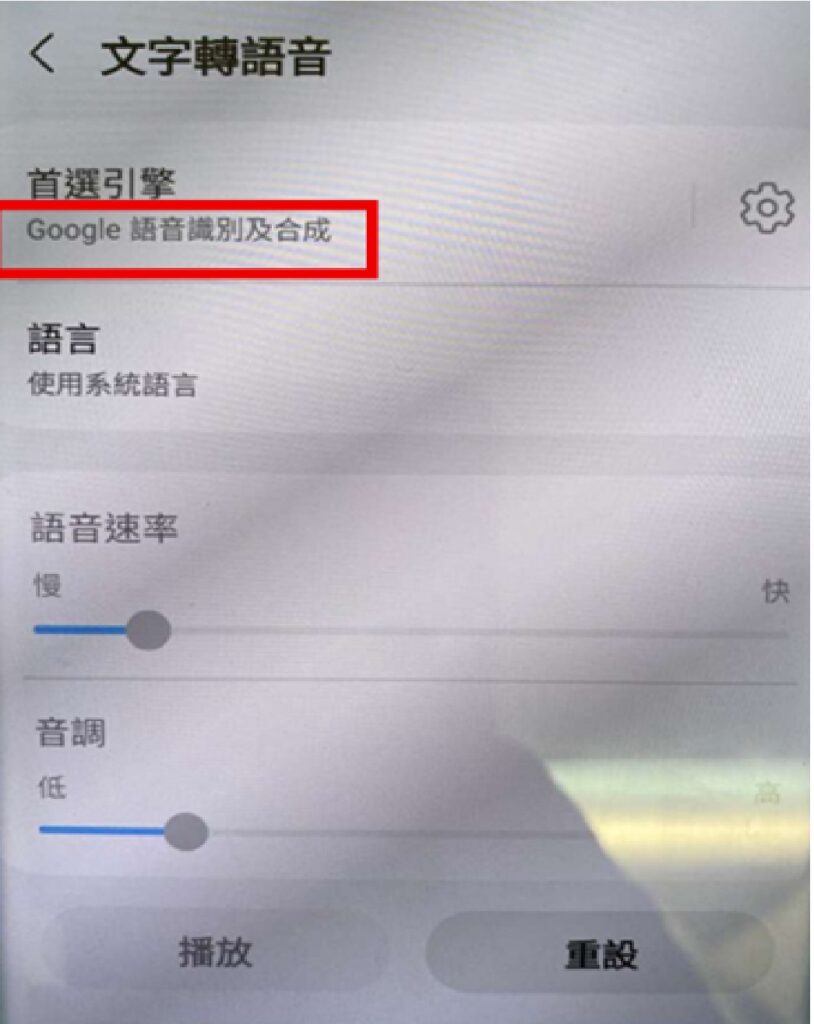
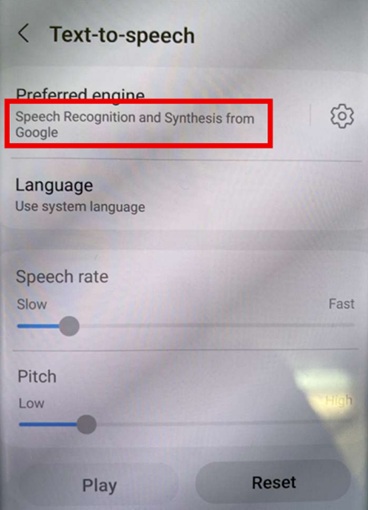
4. 如果不是,請點擊以上紅色方塊區域,然後選擇下方的 Google 搜尋引擎。If not, click the above red box area and select below google engine
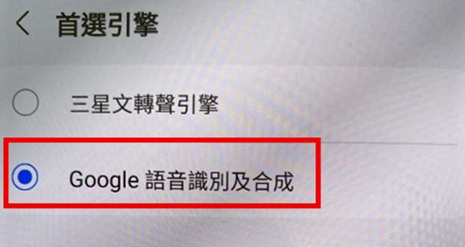
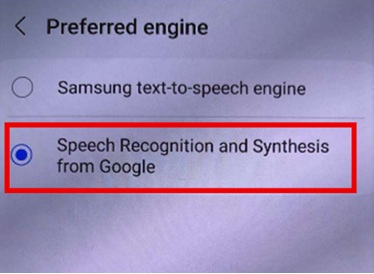
5. 然後點擊 <, 關閉設定。Then click <, and close Settings.
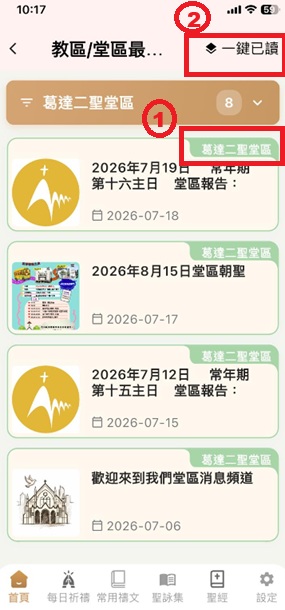
如果存在未讀訊息,位置 1(下圖)處會出現紅點。您可以點擊位置 2(下圖)的按鈕閱讀所有訊息。當所有訊息都已讀完後,圖示角落的數字將不再顯示。 If there are messages which have not been read, there will be a red dots appear at location 1 (below photo). You can click the button at location 2 (below photo) to read all message. Once there are no outstanding messages, the number will not appear at the corner of icon.
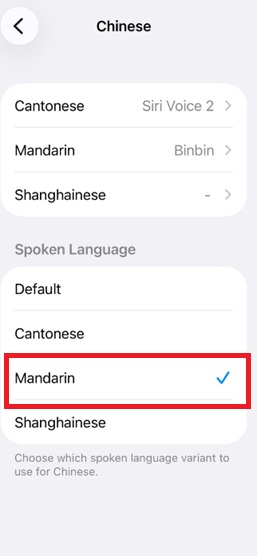
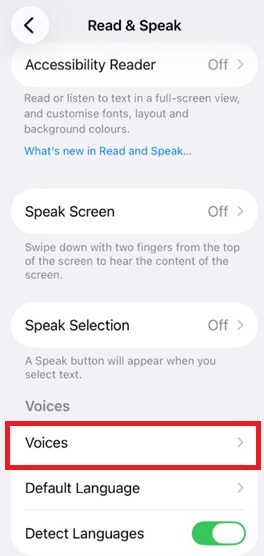
如果聖經章節轉到簡體字,然後以普通語閱讀,有時可能會仍然讀出粵語。如遇到以上情況,可試吓以下設定:
- 按ios設定
2. 搜尋語音內容 (Read & Speak)
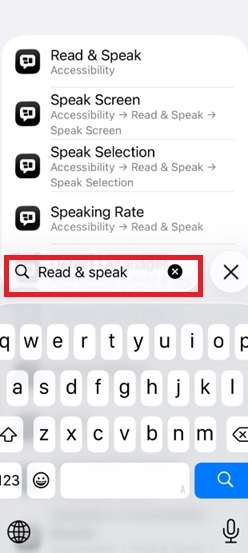
3. 按聲音 (Voices)
4. 按中文 (Chinese)
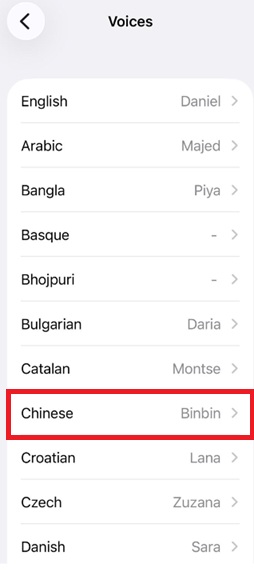
5. 選擇普通話優先 (Mandarin)